OLED vs QLED TV for Gaming: Which One Actually Wins?
 Telecom Digest Editorial Team · · 9 min read
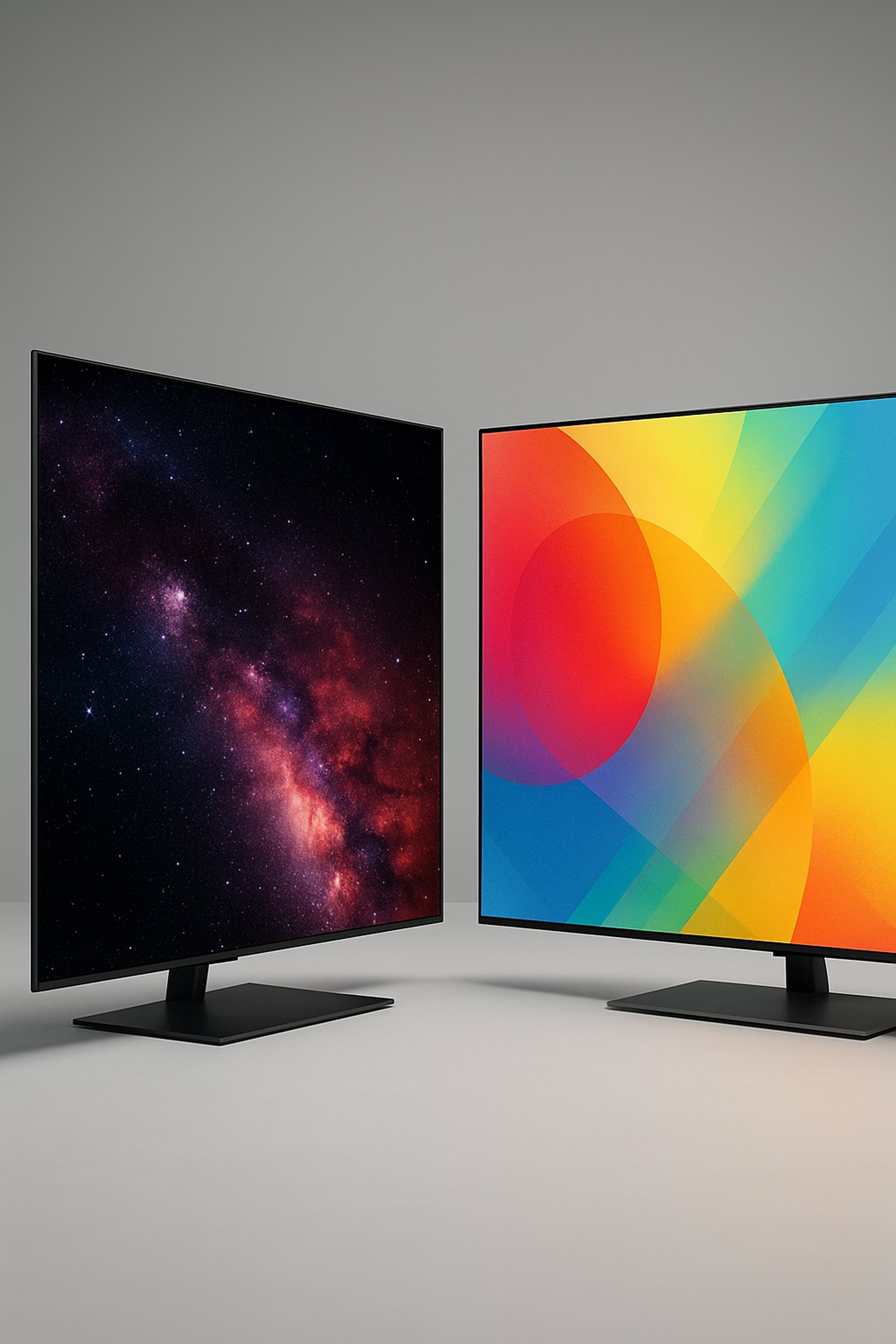
OLED wins most gaming matchups thanks to near-instant pixel response and true blacks, but Mini-LED QLED is the safer, brighter pick for bright rooms and marathon sessions with a static HUD. The right choice depends on your room lighting, how you play, and how much burn-in risk you're willing to accept.
What's the Real Difference Between OLED and QLED for Gaming?
OLED is a self-emissive panel technology: every pixel is an organic light-emitting diode that produces its own light and can switch on, off, or dim completely independently of its neighbors. QLED is a different animal entirely — it's an LCD panel with a layer of quantum dots placed in front of an LED backlight. The quantum-dot layer improves color, but the panel still depends on that backlight to illuminate the whole screen (or zones of it), and individual pixels work by blocking or passing that light rather than generating their own.
By 2026, "QLED" on a TV's spec sheet for gaming almost always means Mini-LED QLED — a panel with thousands of small backlight zones instead of a handful of large ones, which lets it dim and brighten different parts of the screen much more precisely than older edge-lit QLED designs. You'll also see OLED sold under a few different brand names (WOLED, QD-OLED), but all of them share the same core trait that matters for gaming: individually addressable pixels that switch instantly and can go to absolute black, versus a backlight that has to ramp brightness across a zone and can't fully black out a small bright object sitting next to a dark one — a limitation known as blooming.
Response Time and Motion Clarity: Which TV Feels Faster in Games?
OLED's individual pixels can change from one shade to the next in around 0.1 milliseconds, according to independent lab measurements from RTINGS — functionally instant for anything the eye tracks during gameplay. Mini-LED QLED panels, even the fastest models on the market in 2026, typically measure response times in the rough range of 1 to 4 milliseconds. That's still fast by television standards, but the gap shows up on screen as slightly more motion blur and ghosting trailing behind fast-moving objects: a flicking crosshair, a car cutting across the frame, or scrolling text in a menu.
Input lag follows a similar split. Flagship OLED TVs running in Game Mode commonly measure well under 5 milliseconds at 4K/120Hz, with some flagship models testing under 2 milliseconds, based on independent lab measurements. Flagship Mini-LED QLED sets in Game Mode tend to land in the rough range of 8 to 13 milliseconds at the same resolution and refresh rate. For twitchy competitive shooters, racing games, or rhythm games where every frame counts, that difference is real, and it's the single biggest reason competitive gamers lean toward OLED. For turn-based strategy games, story-driven RPGs, or couch co-op, neither number is large enough to notice without instrumented testing — the gap matters far more in theory than it will in most people's actual play sessions.
Brightness and HDR: Does QLED's Extra Brightness Matter for Gaming?
Mini-LED QLED's backlight can push far more raw light at once than most OLED panels. Current flagship Mini-LED QLED TVs commonly reach peak brightness in the 3,000 to 5,000-plus nit range in a small highlight window, according to manufacturer specifications. Mainstream OLED TVs typically top out around 800 to 1,500 nits in accurate picture modes — though OLED brightness has moved fast, and the newest flagship "Tandem" OLED panels unveiled for 2026 are rated up to roughly 4,500 nits peak, narrowing a gap that used to be much wider.
OLED also has to protect itself with an automatic brightness limiter (ABL), which dims the overall picture if too much of the screen stays bright for too long — something you can notice in HDR scenes with large bright areas, like a snowy open-world game at midday. For gaming specifically, extra brightness matters most in two situations: a room with strong ambient light, where QLED's higher peak output cuts through glare more easily, and HDR highlight detail in games with blown-out skies or explosions, where more brightness headroom preserves more detail before it clips to pure white. In a dark or dim room, both technologies have more than enough brightness, and OLED's superior contrast and per-pixel black levels often matter more to the picture than raw nit counts.
| OLED | QLED (Mini-LED) | |
|---|---|---|
| Pixel response time | ~0.1 ms | ~1–4 ms |
| Input lag (4K/120Hz, Game Mode) | Typically under 5 ms, some flagships under 2 ms | Typically ~8–13 ms |
| Peak brightness | ~800–1,500 nits mainstream; up to ~4,500 nits on newest flagship panels | ~3,000–5,000+ nits on flagship models |
| Black level / contrast | Per-pixel, true black | Zone-based; some blooming around bright objects |
| HDMI 2.1, VRR, ALLM (mid-range and up) | Yes | Yes |
| Static-image burn-in risk | Low with mixed use, real with heavy static use | Not applicable to this failure mode |
Burn-In Risk: Is OLED Safe If You Game With a Static HUD?
How Real Is the Risk in 2026?
Permanent image retention on OLED is a real phenomenon, not a myth, but current-generation panels are far more resistant than the OLED TVs from several years ago. Independent longevity testing from RTINGS, which has tracked OLED and QLED panels for thousands of hours, finds that mixed, varied real-world use — switching between games, streaming, and everyday use — rarely produces visible permanent damage even after thousands of cumulative hours. The pattern that does cause visible burn-in is heavy, repetitive static content: the same bright HUD element, minimap, or health bar sitting in the same spot on screen for many hours a day, day after day, especially at high brightness settings. Gamers who run one title with a fixed on-screen overlay for eight or more hours a day over a long stretch are the group independent testers flag as genuinely at elevated risk; casual or mixed-use gamers are not in the same category.
How to Lower the Risk
OLED TVs ship with several built-in mitigations: pixel-shift (or pixel orbiting) that nudges the whole image a few pixels every so often, logo dimming that detects and dims static bright elements, and panel-refresh routines that run automatically to even out wear across the screen. On the user side, lowering peak brightness and the OLED light setting during long static sessions, taking regular breaks that let the screen show something different, and turning off always-on HUD elements where a game allows it — a minimap toggle, a HUD-off mode — all meaningfully cut cumulative stress on the panel. QLED and Mini-LED backlit LCD panels don't have individually addressable organic pixels, so they simply aren't subject to this failure mode: a static HUD causes essentially zero wear risk on a QLED panel, which is the main reason it keeps coming up as the "safe" choice for marathon sessions.
OLED vs QLED for Gaming: Decision Rules by Scenario
Get OLED if you:
- Mostly game at night or in a dim-to-moderately-lit room
- Play fast-paced shooters, racing games, or rhythm and fighting games where motion clarity matters most
- Regularly switch between different games, apps, and content rather than running one title for hours on end
- Value deep, per-pixel black levels and contrast over maximum brightness
Get QLED (Mini-LED) if you:
- Game in a bright room with windows or strong overhead lighting
- Spend many hours a day in one game with a fixed on-screen HUD, minimap, or health bar
- Want the lowest possible long-term risk of any image retention, regardless of how you use the TV
- Are shopping on a tighter budget for a large screen size
PC gaming vs. console. A TV connected to a desktop PC tends to show more static content — a taskbar, a browser window, a chat overlay — for long, continuous stretches than a console hooked up to the same TV, where menus and HUDs rotate through different games more often. If you're using the TV mainly as a PC monitor with a visible taskbar or always-open app for long sessions, that usage pattern pushes you toward QLED, or toward hiding the taskbar and auto-dimming settings if you stick with OLED. Console gaming, where sessions are shorter and games change more often, carries comparatively lower burn-in exposure on OLED by default.
Price and Value: Which Gives More Gaming TV for the Money?
At the same screen size, QLED — including Mini-LED QLED — generally costs less than OLED at the entry and mid tiers, because LCD manufacturing scales more cheaply than OLED panel production. That price gap narrows the further up the range you go: flagship Mini-LED QLED models with the most backlight zones and highest brightness can cost close to, or even more than, entry-level OLED sets of the same size. For a gaming-focused buyer on a tighter budget, a large-screen Mini-LED QLED often delivers more usable screen size and HDR brightness per dollar than a same-priced OLED. For a buyer prioritizing motion clarity and contrast above everything else, a smaller or previous-generation OLED can be a better use of the same budget than a larger QLED.
On longevity: aside from the static-burn-in pattern discussed above, both technologies are built to last many years of normal use, and neither should be bought or avoided based on lifespan alone. What's worth checking regardless of panel type is full HDMI 2.1 support on enough ports (not just one), variable refresh rate (VRR), and auto low-latency mode (ALLM). By 2026, most mid-range-and-up TVs of both types support these, but budget models of either technology can still cut corners on exactly the features that matter most for gaming.
Common Mistakes When Choosing a Gaming TV
- Buying based on peak-brightness marketing numbers without checking the room it'll sit in. A bright-room buyer under-values QLED's advantage, and a dark-room buyer over-pays for brightness they'll rarely use.
- Assuming any OLED will burn in during normal gaming. Most real-world OLED burn-in cases involve many hours a day of one fixed static HUD, not ordinary mixed play across different games.
- Confusing "QLED" with plain "LED" or "LCD." QLED specifically means an LCD panel with a quantum-dot layer, and in 2026 the gaming-relevant QLED models are nearly all Mini-LED backlit rather than the older edge-lit style.
- Ignoring HDMI 2.1, VRR, and ALLM support in favor of comparing brightness or contrast alone. A TV that's technically brighter or has better contrast can still deliver a worse gaming experience if it lacks full-bandwidth HDMI 2.1 or variable refresh rate.
- Not checking input lag specifically in Game Mode. "Cinema" or default picture modes can add tens of extra milliseconds of lag compared with the same TV's dedicated game mode, which skews casual comparisons between models.
Frequently asked questions
Is OLED or QLED better for competitive gaming?
Does OLED really burn in from gaming?
Is QLED better than OLED in a bright room?
Do OLED and QLED TVs both support 4K 120Hz and VRR?
Which lasts longer, OLED or QLED?
Is Mini-LED QLED basically as good as OLED for gaming?
Sources: RTINGS — QLED vs OLED: Which One Is The Best?, RTINGS — OLED Burn-In Hasn't Improved Like We Expected, Tom's Guide — I Didn't Fear Burn-In on My OLED Gaming Monitor Until I Got Burned, ViewSonic Library — OLED Burn-In: What It Is, Why It Happens, and How to Stop It.
How we write: we compare manufacturer specifications, independent lab measurements and verified owner reports. Prices are typical US street prices as of November 2026 and change often.