What Is NFC on Your Phone, and Do You Still Need It in 2026?
 Telecom Digest Editorial Team · · 9 min read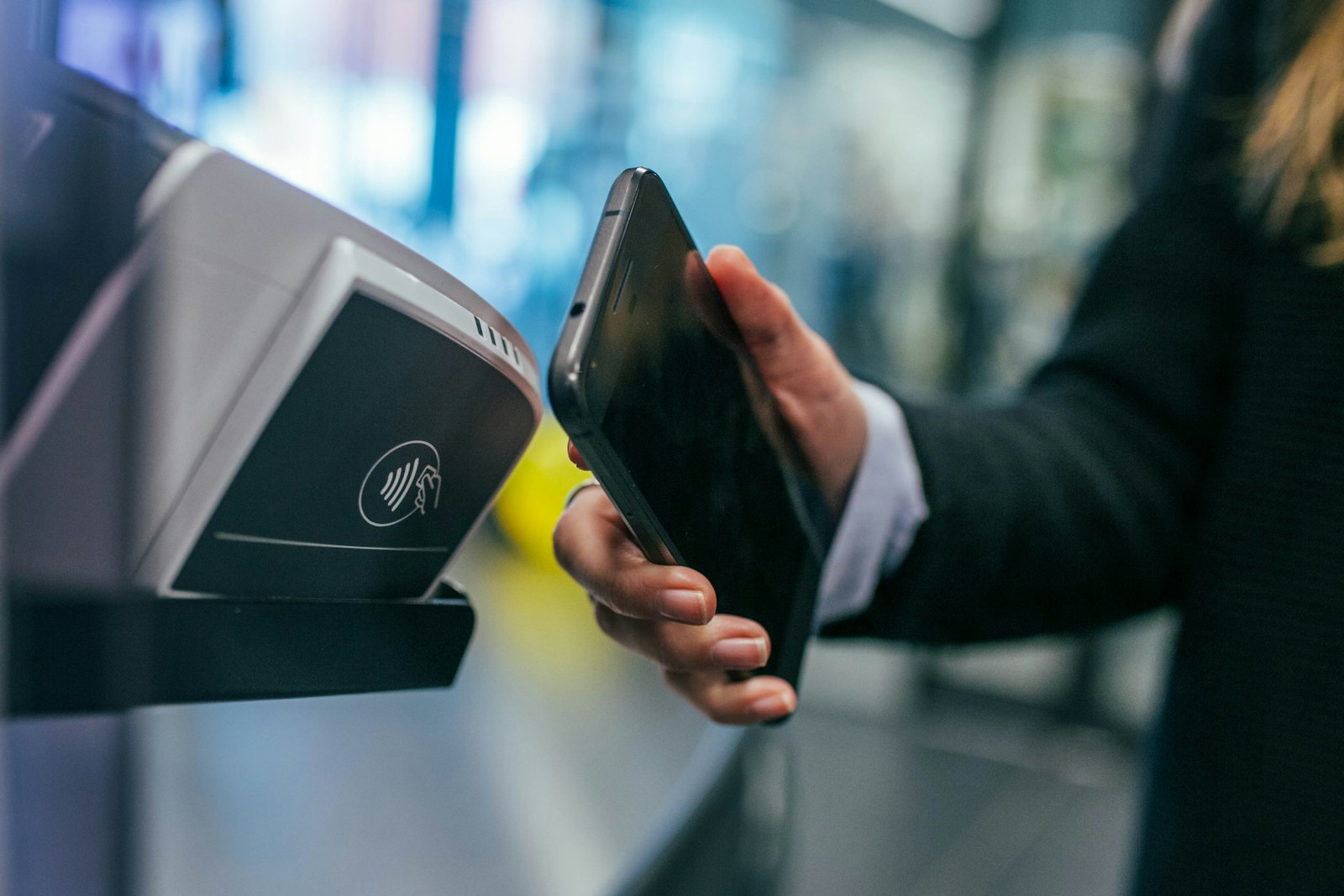
NFC (near-field communication) is the short-range wireless radio built into almost every phone made since 2020, and it is still the technology behind tap-to-pay, one-tap device pairing, and smart NFC tags. You need it if you use Apple Pay, Google Wallet, a transit card, or any tap-to-unlock gadget; you can safely ignore it if you never tap your phone against anything.
What is NFC and how does it work?
NFC stands for near-field communication, a short-range wireless technology that lets two devices exchange small amounts of data when they are held close together, typically within 4 to 10 centimeters. It operates on a single radio frequency, 13.56 MHz, and is standardized by the NFC Forum, the nonprofit industry group that includes Apple, Google, Samsung, and major payment networks.
Technically, NFC builds on two older contactless standards: ISO/IEC 14443, used for proximity cards and most payment terminals (range up to roughly 10 cm, speeds of 106 to 848 kbps), and ISO/IEC 18092 (also called NFCIP-1), which governs device-to-device communication at slightly longer range and similar speeds. Your phone's NFC chip can act as either one, which is why the same chip can tap a payment terminal, read a sticker, and pair with a speaker.
The short range is a feature, not a limitation. Unlike Bluetooth or Wi-Fi, which can connect across a room, NFC is intentionally limited to near-touch distance. That makes accidental connections unlikely and is one reason it was chosen for payments and secure pairing instead of longer-range radios.
Is NFC on my phone, and how do I turn it on?
If your phone was made in the last five or six years, it almost certainly has NFC. Every iPhone from the iPhone 7 onward includes an NFC chip, and nearly every mid-range and flagship Android phone sold since roughly 2018 has one too. The exceptions are mostly older budget Android models and a handful of ultra-low-cost phones still sold in some markets.
| Phone type | NFC included? | Where to check or enable it |
|---|---|---|
| iPhone 7 and newer | Yes, all models | Always on for payments; Settings > General > NFC for background tag reading (iOS 11+) |
| Android flagships (Samsung Galaxy S/Note/Fold/Flip, Google Pixel, most 2019+ models) | Yes | Quick Settings panel (swipe down, tap the NFC tile) or Settings > Connected devices > Connection preferences > NFC |
| Android mid-range (most 2020+ models from Samsung, Xiaomi, OnePlus, Motorola) | Usually yes, varies by carrier/region SKU | Same settings path; check the spec sheet if unsure |
| Budget Android (sub-$150, older models) | Often no | Check the product page under "connectivity" or "wireless" |
On Android, NFC is usually a single toggle in Quick Settings or under Connected devices. On iPhone, the NFC radio itself is always active for payments and background tag reading; there is no separate on/off switch for Apple Pay, though you can turn off the automatic tag-reading prompt in Settings if you find it distracting.
What can you actually do with NFC?
According to Android's own developer documentation, an NFC-equipped phone can operate in three distinct modes, often switching between them automatically depending on what it is near.
| Mode | What it does | Everyday example |
|---|---|---|
| Reader/writer mode | Your phone reads data from (or writes data to) a passive NFC tag or sticker | Tapping a smart poster, a product tag, or a programmable NFC sticker |
| Card emulation mode | Your phone pretends to be a contactless card | Apple Pay, Google Wallet, transit cards, hotel key cards stored in a wallet app |
| Peer-to-peer mode | Two NFC devices exchange data directly with each other | Pairing a Bluetooth speaker or headphones with one tap, sharing a contact card |
In practice, most people use NFC for three things: paying at a terminal, pairing accessories, and unlocking something. Tapping your phone to a speaker or a pair of headphones that supports NFC pairing skips the usual Bluetooth menu hunt entirely. Hotel chains and some apartment and car-sharing services now issue digital keys that live in your phone's wallet and unlock a door with a tap. Transit systems in many cities accept a phone or smartwatch the same way they accept a contactless card.
NFC tags themselves are also worth knowing about. These are small, cheap, battery-free stickers you can buy for well under a dollar each and program yourself using an app (NFC Tools on Android, or the Shortcuts app on iPhone). A tag stuck to your nightstand can silence your phone and set an alarm when you tap it at bedtime; one by your front door can turn off Wi-Fi and switch your phone to driving mode when you leave. On Android, Tasker and similar automation apps can trigger far more complex routines from a single tap, and Apple's Shortcuts app does the same for iPhone, including turning on smart-home scenes if your devices support HomeKit automation.
How does NFC payment (Apple Pay / Google Wallet) actually work?
Tap-to-pay is the single most common reason people rely on NFC, and the security model behind it is different for each platform, though the underlying idea is the same: your actual card number never gets sent to the terminal.
On iPhone, Apple's own security documentation explains that a dedicated Secure Element chip takes control of the NFC controller whenever it is in payment-reader mode. Card data moves only between the payment network's servers and the Secure Element; the transaction is verified by an independently accredited security lab, and Apple's Tap to Pay on iPhone feature (where a phone itself acts as the terminal) has been validated against the PCI Mobile Payments on COTS (MPoC) standard since iOS 18.4.
On Android, Google Wallet uses Host-based Card Emulation (HCE), a method described in Android's developer documentation that lets an app emulate a contactless card without relying on a separate secure chip embedded in the SIM or hardware. Google's own support documentation for tap-to-pay lists the baseline requirements: NFC turned on, Android 9.0 or newer, HCE support, and the phone's screen unlocked (or set to require unlocking) before a payment will go through. Rooted phones or those running a custom ROM may not pass Google's certification checks and can lose access to Wallet payments entirely.
Either way, every tap generates a one-time cryptographic token specific to that transaction, rather than transmitting your actual card number. That is a meaningful security upgrade over a magnetic-stripe swipe, where the same static card number is exposed every time.
Is NFC safe to use?
The realistic risk with NFC is a relay attack, where someone uses specialized equipment to intercept and forward a payment signal between your phone and a rogue reader. In practice, this requires the attacker's equipment to be within centimeters of your device, timed precisely, which makes it a niche risk compared to common fraud methods like card skimming or phishing. Keeping your phone's screen-lock or Face ID/fingerprint requirement enabled for payments closes most of this gap, since a locked phone or a payment app that requires authentication will not emulate a card for an attacker who merely gets physically close to your pocket.
On battery drain: NFC is not a major factor in how fast your phone's battery runs down. The radio sits idle, consuming very little power, until it detects a nearby tag or reader, unlike Bluetooth or Wi-Fi scanning, which can poll continuously in the background. If your battery life has gotten worse, NFC is one of the least likely culprits to check first.
What's new for NFC in 2026? (NFC Forum Release 15)
The NFC Forum, the industry group that maintains the standard, published NFC Release 15 in June 2025, and it is the most significant update to the core specification in years. The headline change is a fourfold increase in certified contactless range: products can now be certified for communication at up to 2.0 centimeters, compared with the previous 0.5-centimeter limit.
That extra margin matters for a few emerging use cases the NFC Forum has flagged: more reliable wireless charging handshakes, digital product passports (tap-to-verify authenticity tags on retail goods, a requirement starting to appear in EU product regulation), and better tap reliability for wearables, where a watch or ring has less surface area to align precisely with a reader. According to the NFC Forum's own timeline, adopter certification against the new range began in late 2025, with the full Devices Requirements specification (version 3.4) expected in May 2026, and products built to the new range appearing on shelves sometime in 2026.
This is a standard update for upcoming hardware, not something that retroactively changes the NFC chip already in your phone. If you own a phone released before this certification cycle, it will keep working exactly as it does now; you are not missing out on a software update that unlocks longer range.
Do you still need NFC in 2026?
It helps to separate NFC from two technologies it sometimes gets confused with. eSIM is a completely different layer: it replaces the physical SIM card that connects your phone to a cellular network, and has nothing to do with near-field tap-to-pay or pairing. Satellite SOS and ultra-wideband (UWB) solve different problems too — satellite messaging is for emergency connectivity when you have no cell or Wi-Fi signal at all, and UWB is for precise, longer-range spatial tracking (like finding a lost item or unlocking a car from several meters away). None of these three technologies compete with NFC; they sit alongside it, each handling a job NFC was never designed for.
- Get NFC if: you use Apple Pay, Google Wallet, or a similar tap-to-pay service; you ride transit systems that accept phone taps; you pair wireless headphones or speakers often and want to skip the Bluetooth menu; you use (or want to use) a hotel, apartment, or car digital key; or you want to set up simple NFC-tag automations at home.
- Skip worrying about it if: you already pay with a physical card or cash and have no interest in digital wallets, and you do not plan to use smart-home or automation tags. In that case, having NFC costs you nothing (it barely touches your battery) and you simply will not notice it is there.
Frequently asked questions
What does NFC stand for?
What is NFC used for on Android?
Does NFC drain the battery?
Can I use NFC without the internet?
Is NFC the same as Bluetooth?
Do all smartphones have NFC?
Sources: NFC Forum — NFC Release 15, NFC Forum — NFC Release 15: The what, why and how, Apple Support — Tap to Pay on iPhone security, Android Developers — Near field communication (NFC) overview, Google Wallet Help — Tap to pay with your phone.
How we write: we compare manufacturer specifications, official standards documentation and verified owner reports. Facts are current as of October 2026 and change over time.