How to Choose a Power Supply (PSU) for Your PC in 2026
 Telecom Digest Editorial Team · · 10 min read
Your PSU wattage comes down to one simple formula: add up your CPU and GPU's peak power draw, add 60 to 120 watts for the rest of the system, then add 20 to 30 percent headroom. If that math isn't your thing, our PSU calculator does it for you — this guide explains the numbers it's working with, plus what 80 PLUS, ATX 3.1, and modular cabling actually mean before you buy.
How Many Watts Does Your PC Actually Need?
Start with the two components that draw the most power: your CPU and your GPU. Check each part's rated power draw (manufacturers list this as TDP, TGP, or "total graphics power" on the spec sheet), add the two numbers together, then add 60 to 120 watts to cover the motherboard, RAM, fans, storage drives, and any peripherals. That gives you your realistic peak draw under load.
From there, add 20 to 30 percent headroom on top. This isn't wasted capacity — PSUs run most efficiently at 40 to 60 percent of their rated load, components draw short power spikes well above their average rating, and the extra margin leaves room for a future GPU upgrade without a second PSU purchase. A build that peaks at 500W under this formula should land on a 650W unit, not a 500W one.
Recommended PSU Wattage by Graphics Card
GPU power draw is the single biggest factor in PSU sizing. The table below lists each card's typical board power alongside the PSU wattage its maker recommends for a complete system (not just the card by itself). Use our GPU comparison tool if you're still deciding which card to buy.
| Graphics card | Typical power draw | Recommended PSU wattage |
|---|---|---|
| RTX 5090 | Up to 575W | 1,000W (1,200W+ with a high-end CPU) |
| RTX 5080 | Up to 360W | 850W |
| RTX 5070 Ti | 300W | 750–850W depending on CPU tier |
| RTX 5070 | 250W | 650–750W depending on CPU tier |
| RTX 5060 Ti | Up to 180W | 550–650W depending on CPU tier |
| RX 9070 XT | 304W | 750W minimum, 850W recommended |
These are system-level recommendations from NVIDIA, AMD, and PSU makers like Corsair and Seasonic — they already account for a reasonable CPU, storage, and cooling setup, so you don't need to add the headroom math on top of these specific numbers. If you're pairing a top-tier CPU with any of these cards, lean toward the higher end of the range.
What Does 80 PLUS Actually Mean?
80 PLUS is an efficiency certification, not a build-quality rating. It measures how much input power a PSU wastes as heat at 115V, tested at 20, 50, and 100 percent load. A more efficient PSU runs cooler, pulls less from the wall for the same output, and tends to use better internal components — but the label itself says nothing about noise or protection circuits.
| Tier | Efficiency at 20% / 50% / 100% load |
|---|---|
| Standard | 80% / 80% / 80% |
| Bronze | 82% / 85% / 82% |
| Silver | 85% / 88% / 85% |
| Gold | 87% / 90% / 87% |
| Platinum | 90% / 92% / 89% |
| Titanium | 90%+ at 10% load, 94% / 90% at 50%/100% |
Get Gold if you're building a typical gaming or work PC — it's the sweet spot between price and efficiency for 2026. Platinum or Titanium mainly pay for themselves on a PSU that runs near full load 24/7, like a home server, workstation, or mining rig, where the efficiency gap adds up over thousands of hours.
Cybenetics ETA and LAMBDA — Is 80 PLUS Enough?
80 PLUS only tests three or four fixed load points, and it says nothing about noise. Cybenetics, an independent testing lab, fills both gaps with two separate scales that increasingly appear together on PSU review pages and certification labels. ETA rates efficiency across more than 1,450 load combinations spanning the PSU's entire operating range, with six tiers from Bronze up to Diamond — a far more granular picture than 80 PLUS's handful of test points.
LAMBDA rates how much noise the PSU's fan makes under load, in seven tiers: Standard, Standard+, Standard++, A-, A, A+, and A++. A PSU with a strong ETA rating but a weak LAMBDA rating will be efficient but audibly loud under heavy load — something an 80 PLUS badge alone would never tell you. If you care about a quiet build, check for a LAMBDA rating, not just 80 PLUS.
ATX 3.1 and the 12V-2x6 Connector — Do You Need It?
ATX 3.1 is the current PSU spec built around GPUs that draw large, short power spikes. Its headline feature is the 12V-2x6 connector, which replaces the earlier 12VHPWR design. It's rated for 600W of continuous power with a 200 percent (1,200W) transient tolerance for spikes as short as 100 milliseconds, uses 12 pins (10 for power, 2 for sensing), and specifies 16-gauge wiring instead of the 18-gauge wiring used on older connectors — roughly 9.2 amps per pin. The sense pins also sit recessed by 1.5mm so the connector has to seat fully before the system will power on, which cuts down on the partial-connection failures that plagued early 12VHPWR cables.
Get an ATX 3.1 PSU if you're running an RTX 5090 or 5080 — their power spikes are exactly what this spec was designed to handle natively, without an adapter. For a mid-range card or a non-gaming build, it's a nice-to-have rather than a requirement; a quality ATX 3.0 or even ATX 2.x unit with the right connector adapter will still run those cards fine. ATX 3.1 PSUs remain backward-compatible with older RTX 40-series cards through a legacy cable or adapter.
Modular, Semi-Modular, or Non-Modular?
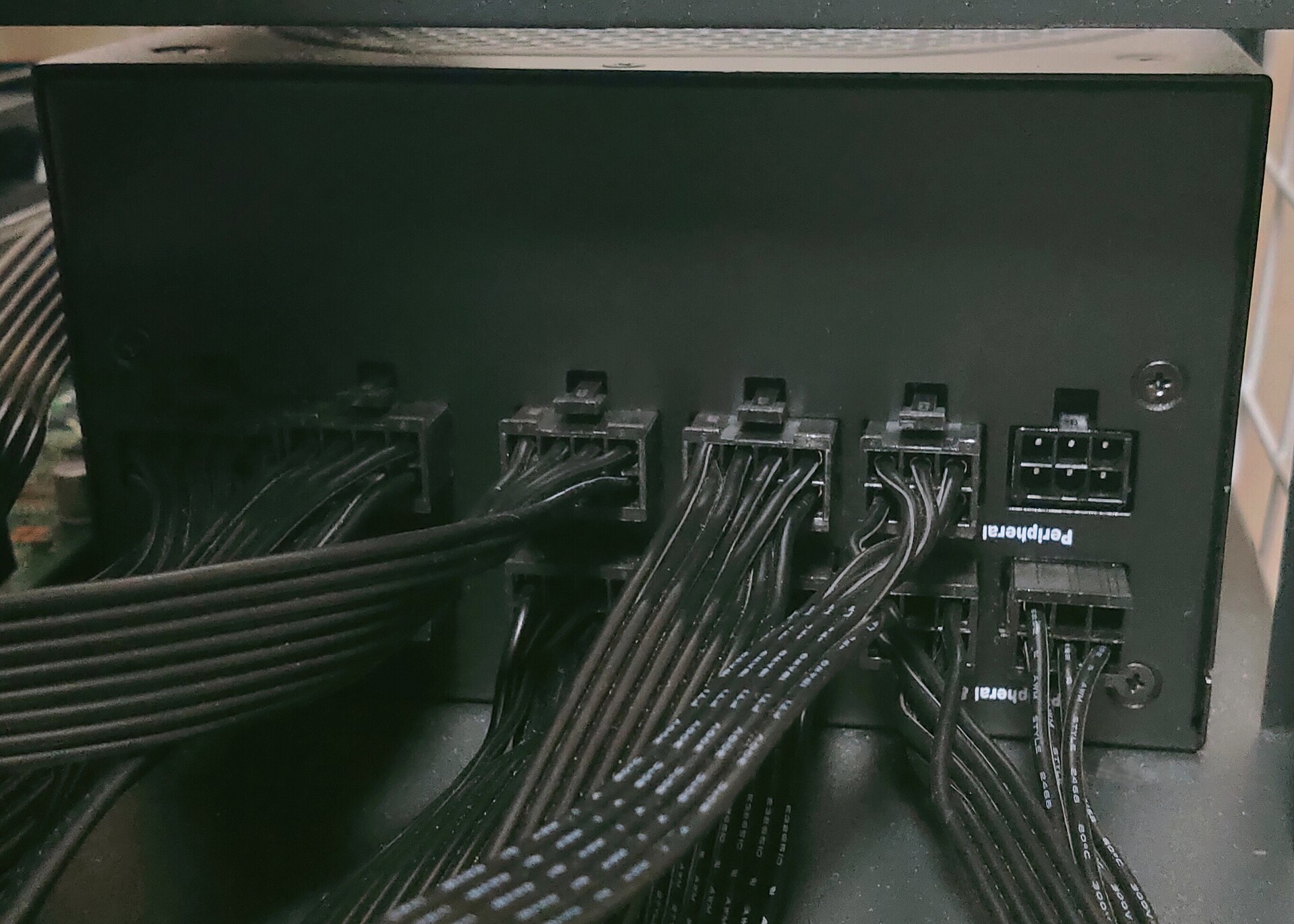
This is about cable management, not power delivery. A fully modular PSU lets you attach only the cables you actually need, which makes airflow and routing easier in cramped or windowed cases — at a price premium. A non-modular PSU has every cable permanently attached; it's cheaper, but unused cables have to be tucked away somewhere, which is harder in small cases (though a PSU shroud hides most of the mess in a standard mid-tower). Semi-modular splits the difference: the ATX and CPU cables are fixed, while PCIe and SATA cables are modular — it's the common middle ground for most builds.
Get fully modular if you're building in a small-form-factor case or a case with a tempered-glass side panel where cable clutter is visible. Get semi-modular for a standard mid-tower build where the extra cost of full-modular isn't worth it. Non-modular is fine if budget is the top priority and your case has room to stash the extra cables out of sight.
Other Things That Matter (Protections, Form Factor, Warranty)
A handful of protection circuits separate a safe PSU from a liability, even though they rarely show up in marketing copy. OCP (over-current protection) and OVP (over-voltage protection) shut the unit down before a fault damages your components; OPP (over-power protection) and SCP (short-circuit protection) do the same for power spikes and shorts; OTP (over-temperature protection) prevents the unit from cooking itself under sustained heavy load. A reputable PSU brand lists these on the spec sheet — their absence is a red flag on cheap, unbranded units.
Form factor matters for case compatibility: ATX is the standard size for mid-towers and full-towers, while SFX and SFX-L are compact formats built for small-form-factor cases. Check your case's PSU bay before buying, since the two aren't interchangeable without an adapter bracket.
Warranty length is a useful proxy for build confidence: budget units often ship with 3-year coverage, while PSUs built on higher-grade components commonly carry 7- to 12-year warranties. A longer warranty doesn't guarantee reliability, but a manufacturer rarely backs a weak design for a decade. Community-maintained PSU tier lists are a reasonable starting point for narrowing down models by platform and price point — treat them as a general orientation tool rather than a definitive ranking, since testing methods and revisions change over time.
Common Mistakes When Sizing a PSU
- Double-counting headroom. If you already used a manufacturer's system-level wattage recommendation (like the GPU table above), you don't need to add another 20 to 30 percent on top — that buffer is often already baked in.
- Buying a bargain no-name unit for a high-end GPU. A high-wattage label means nothing if the unit can't hold clean voltage under a transient spike; stick to known PSU brands for any build pairing a current flagship GPU.
- Ignoring connector type. Pairing an RTX 50-series card with an older PSU's native 12VHPWR cable instead of a proper 12V-2x6 connector or adapter is asking for seating and power-delivery issues.
- Undersizing for upgrade headroom. A 550W PSU that just barely covers today's build leaves no room for a GPU upgrade in two or three years — sizing slightly above your current needs avoids a second PSU purchase later.
Frequently asked questions
How do I calculate what PSU I need?
Is 650W enough for a gaming PC?
Do I need an ATX 3.1 PSU for an RTX 5090?
Is 80 PLUS Gold good enough, or should I get Platinum?
Can I use an old PSU with a new GPU?
Is a more expensive PSU worth it?
Sources: Wikipedia — 80 Plus, Wikipedia — 12VHPWR, HowToGeek — What Are Cybenetics PSU Certifications and Why They Matter, Corsair — Recommended PSU Table: GPU Power Requirements, Seasonic — How Much Power Supply Wattage Does a Gaming PC Need in 2026, PCGuide — Fully Modular vs Semi Modular vs Non Modular.
How we write: we compare manufacturer specifications, independent lab measurements and verified owner reports. Prices and specs are current as of November 2026 and change often.